> ## Documentation Index
> Fetch the complete documentation index at: https://docs.squarecloud.app/llms.txt
> Use this file to discover all available pages before exploring further.
# Bot Hosting
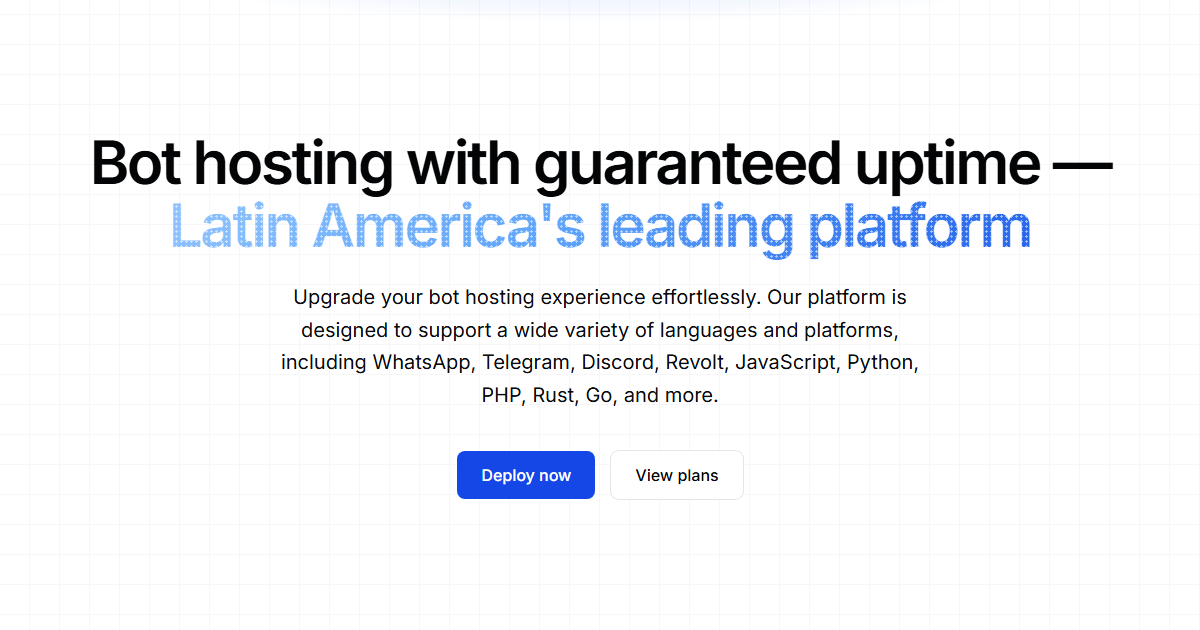
> Host your Discord, WhatsApp and Telegram bots on the largest platform in Latin America. Enterprise performance, advanced security and development tools for your project.
 ## Why choose Square Cloud?
We are the **largest bot hosting platform in Latin America**, trusted by **80 of the 100 largest Brazilian Discord servers**. A bot lives or dies by its uptime and its latency to the Discord, WhatsApp and Telegram gateways — so every layer of our stack, from the hardware to the network edge, is tuned to keep your process online and responsive 24/7.
Every bot runs on **enterprise Samsung NVMe SSDs** behind **10Gbps** uplinks, in an isolated container with **kernel-enforced CPU and RAM** — so a neighbor's traffic spike never becomes your latency problem.
**CLI**, **JavaScript & Python SDKs**, a **VSCode extension** and **GitHub Actions/Webhooks** for CI/CD. Deploy from your terminal, your editor or a `git push`.
A **Cloudflare-fronted** edge plus **Square Shield** keeps your bot within the platform API rate limits (Discord and others), preventing the bans and cooldowns that take a bot offline.
**One-click restore points** included at no extra cost. Roll back a broken deploy in seconds, with no data loss and no downtime.
**Proven at scale:** our reputation was earned running the bots behind some of the busiest communities in Latin America — the kind of sustained, high-event-rate load that quietly exposes weak infrastructure. Yours runs on the same clusters.
***
## Supported environments
We offer broad compatibility so you can develop with your preferred technology.
### Platforms
### Languages
In addition to these, we support various other languages and libraries. Our infrastructure is flexible to adapt to your project's needs.
***
## Main Features
### Infrastructure built for always-on workloads
Each cluster runs on enterprise **Samsung NVMe SSDs** with **10Gbps uplinks**, and your bot runs in an isolated, unprivileged container with dedicated CPU and RAM caps. Isolation is what turns "fast on paper" into fast in production: your process is never fighting a noisy neighbor for I/O or CPU, so response times stay low even under sustained event load.
### Square Shield: staying inside the rate limits
Discord, WhatsApp and Telegram ban bots that exceed their gateway and REST rate limits. **Square Shield** sits between your bot and those APIs, monitoring request patterns to keep you within the allowed budget — the difference between a bot that scales cleanly and one that gets cooldowned offline at the worst moment.
### Operate with full visibility
Restore points let you roll back a bad deploy in seconds — no data loss, no downtime. Pro and Enterprise plans add automatic daily snapshots on top.
Stream your application's stdout/stderr live to debug in production the moment something misbehaves, without redeploying.
Track CPU, RAM and network consumption in real time from an intuitive panel, so you can right-size resources and catch regressions before your users do.
### Development Tools
To optimize your workflow, we offer a complete ecosystem of tools:
Manage your applications directly from the terminal. Deploy, check logs, and much more, quickly and practically.
```bash theme={null}
npm install -g @squarecloud/cli
squarecloud auth login
```
Integrate hosting management into your favorite code editor, simplifying the development and deployment process.
Automate continuous deployment (CI/CD) of your bot. With each `push` to your repository, your application is automatically updated on our platform.
**Attention:** To use deployment via GitHub Actions, you need to configure an API `token` in your repository secrets. Check our specific documentation for the step-by-step guide.
## How to host my bot?
The first step to host your bot on **Square Cloud** is creating a detailed configuration file. This file is not just a simple text document, but a comprehensive guide that defines the settings for the application on **Square Cloud**. It functions as an architectural blueprint for your project on the platform.
Once you've acquired the plan, you need to create this file, detailing each configuration and filling it out correctly. Details on how to create this file are available [here](https://docs.squarecloud.app/en/getting-started/config-file), with a step-by-step guide.
With the configuration file ready, the next step is preparing your application for upload. This involves placing the application files and the **Square Cloud** configuration file inside a .zip file.
However, not all files need to be included in this .zip. Files like `node_modules`, `package-lock.json`, `pyproject.toml`, and `poetry.lock` are not necessary, as they can be automatically generated on the server side.
Another crucial aspect is including the dependencies file in the .zip. This file tells the **Square Cloud** platform which dependencies to install for your project. For a Node.js project, this file is `package.json`, and for a Python project, it's `requirements.txt`.
These files list the libraries and packages necessary for the application to function correctly. Keeping these files updated is crucial to avoid installation errors. Additionally, it's important to note that native dependencies, like `node-fetch` in Node.js and `random` in Python, should not be included in these files, as they are native libraries.
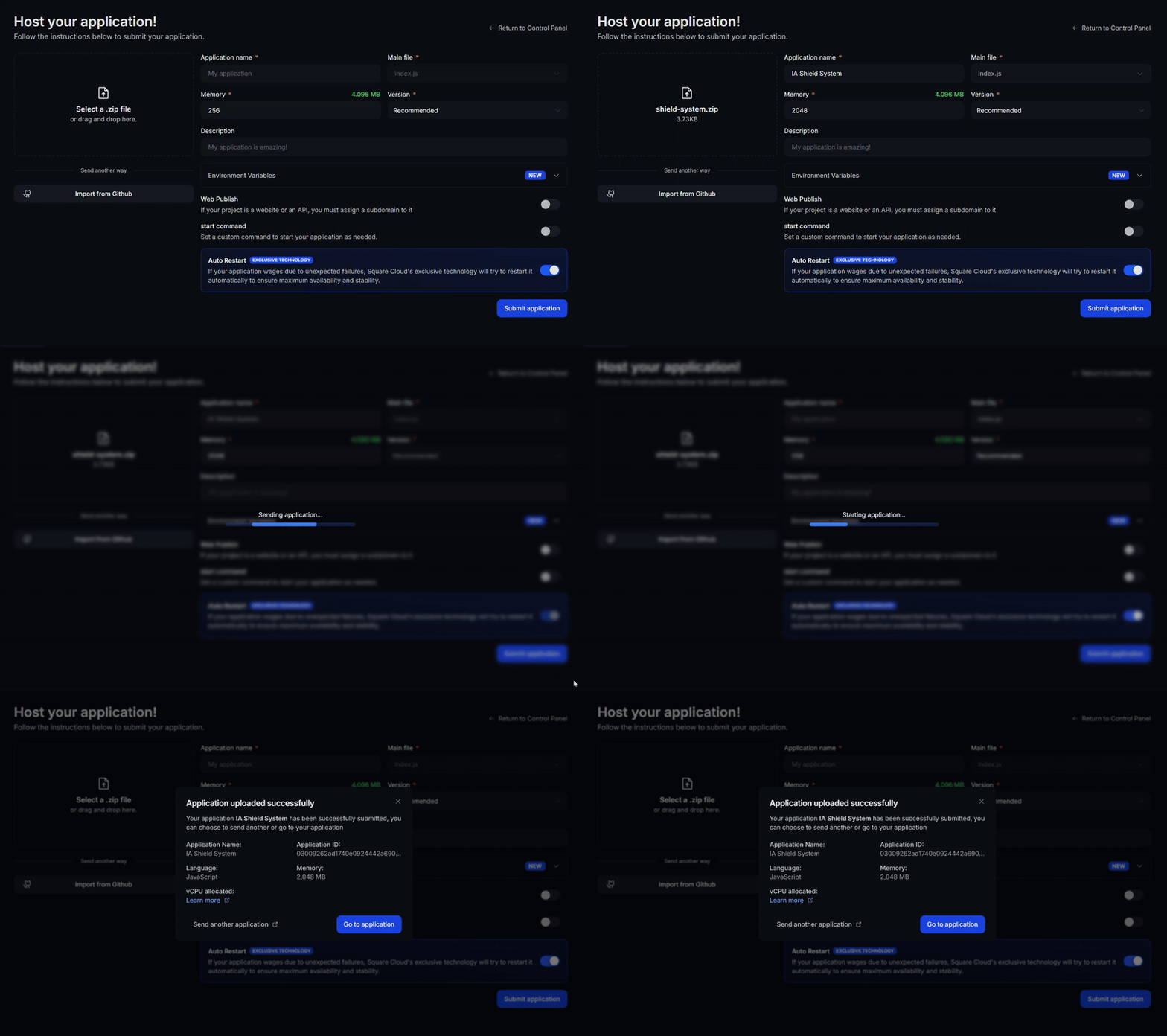
After following all the steps and configuring your project for **Square Cloud**, it's time to upload your bot. Access the upload page on the **Square Cloud** website and send your .zip file [here](https://squarecloud.app/en/dashboard/new).
The process is simple: select your .zip file and click the upload button. The **Square Cloud** platform will start the deployment process, installing necessary dependencies and configuring the environment based on the configuration file.
## Why choose Square Cloud?
We are the **largest bot hosting platform in Latin America**, trusted by **80 of the 100 largest Brazilian Discord servers**. A bot lives or dies by its uptime and its latency to the Discord, WhatsApp and Telegram gateways — so every layer of our stack, from the hardware to the network edge, is tuned to keep your process online and responsive 24/7.
Every bot runs on **enterprise Samsung NVMe SSDs** behind **10Gbps** uplinks, in an isolated container with **kernel-enforced CPU and RAM** — so a neighbor's traffic spike never becomes your latency problem.
**CLI**, **JavaScript & Python SDKs**, a **VSCode extension** and **GitHub Actions/Webhooks** for CI/CD. Deploy from your terminal, your editor or a `git push`.
A **Cloudflare-fronted** edge plus **Square Shield** keeps your bot within the platform API rate limits (Discord and others), preventing the bans and cooldowns that take a bot offline.
**One-click restore points** included at no extra cost. Roll back a broken deploy in seconds, with no data loss and no downtime.
**Proven at scale:** our reputation was earned running the bots behind some of the busiest communities in Latin America — the kind of sustained, high-event-rate load that quietly exposes weak infrastructure. Yours runs on the same clusters.
***
## Supported environments
We offer broad compatibility so you can develop with your preferred technology.
### Platforms
### Languages
In addition to these, we support various other languages and libraries. Our infrastructure is flexible to adapt to your project's needs.
***
## Main Features
### Infrastructure built for always-on workloads
Each cluster runs on enterprise **Samsung NVMe SSDs** with **10Gbps uplinks**, and your bot runs in an isolated, unprivileged container with dedicated CPU and RAM caps. Isolation is what turns "fast on paper" into fast in production: your process is never fighting a noisy neighbor for I/O or CPU, so response times stay low even under sustained event load.
### Square Shield: staying inside the rate limits
Discord, WhatsApp and Telegram ban bots that exceed their gateway and REST rate limits. **Square Shield** sits between your bot and those APIs, monitoring request patterns to keep you within the allowed budget — the difference between a bot that scales cleanly and one that gets cooldowned offline at the worst moment.
### Operate with full visibility
Restore points let you roll back a bad deploy in seconds — no data loss, no downtime. Pro and Enterprise plans add automatic daily snapshots on top.
Stream your application's stdout/stderr live to debug in production the moment something misbehaves, without redeploying.
Track CPU, RAM and network consumption in real time from an intuitive panel, so you can right-size resources and catch regressions before your users do.
### Development Tools
To optimize your workflow, we offer a complete ecosystem of tools:
Manage your applications directly from the terminal. Deploy, check logs, and much more, quickly and practically.
```bash theme={null}
npm install -g @squarecloud/cli
squarecloud auth login
```
Integrate hosting management into your favorite code editor, simplifying the development and deployment process.
Automate continuous deployment (CI/CD) of your bot. With each `push` to your repository, your application is automatically updated on our platform.
**Attention:** To use deployment via GitHub Actions, you need to configure an API `token` in your repository secrets. Check our specific documentation for the step-by-step guide.
## How to host my bot?
The first step to host your bot on **Square Cloud** is creating a detailed configuration file. This file is not just a simple text document, but a comprehensive guide that defines the settings for the application on **Square Cloud**. It functions as an architectural blueprint for your project on the platform.
Once you've acquired the plan, you need to create this file, detailing each configuration and filling it out correctly. Details on how to create this file are available [here](https://docs.squarecloud.app/en/getting-started/config-file), with a step-by-step guide.
With the configuration file ready, the next step is preparing your application for upload. This involves placing the application files and the **Square Cloud** configuration file inside a .zip file.
However, not all files need to be included in this .zip. Files like `node_modules`, `package-lock.json`, `pyproject.toml`, and `poetry.lock` are not necessary, as they can be automatically generated on the server side.
Another crucial aspect is including the dependencies file in the .zip. This file tells the **Square Cloud** platform which dependencies to install for your project. For a Node.js project, this file is `package.json`, and for a Python project, it's `requirements.txt`.
These files list the libraries and packages necessary for the application to function correctly. Keeping these files updated is crucial to avoid installation errors. Additionally, it's important to note that native dependencies, like `node-fetch` in Node.js and `random` in Python, should not be included in these files, as they are native libraries.
After following all the steps and configuring your project for **Square Cloud**, it's time to upload your bot. Access the upload page on the **Square Cloud** website and send your .zip file [here](https://squarecloud.app/en/dashboard/new).
The process is simple: select your .zip file and click the upload button. The **Square Cloud** platform will start the deployment process, installing necessary dependencies and configuring the environment based on the configuration file.
 ## Frequently asked questions
Most Discord bots run comfortably on the **Hobby** plan at **R\$12.49/month**, which covers the 256 MB minimum RAM required for bots. See [Plans and Pricing](/en/platform/plans) for the full comparison.
Yes — your bot runs in an isolated container with dedicated CPU and RAM, an auto-restart on crash, and Square Cloud's infrastructure averages **99.999% uptime** across the platform.
## Frequently asked questions
Most Discord bots run comfortably on the **Hobby** plan at **R\$12.49/month**, which covers the 256 MB minimum RAM required for bots. See [Plans and Pricing](/en/platform/plans) for the full comparison.
Yes — your bot runs in an isolated container with dedicated CPU and RAM, an auto-restart on crash, and Square Cloud's infrastructure averages **99.999% uptime** across the platform.